How to Create a Moodboard for a Photo Shoot (Step-by-Step Guide)
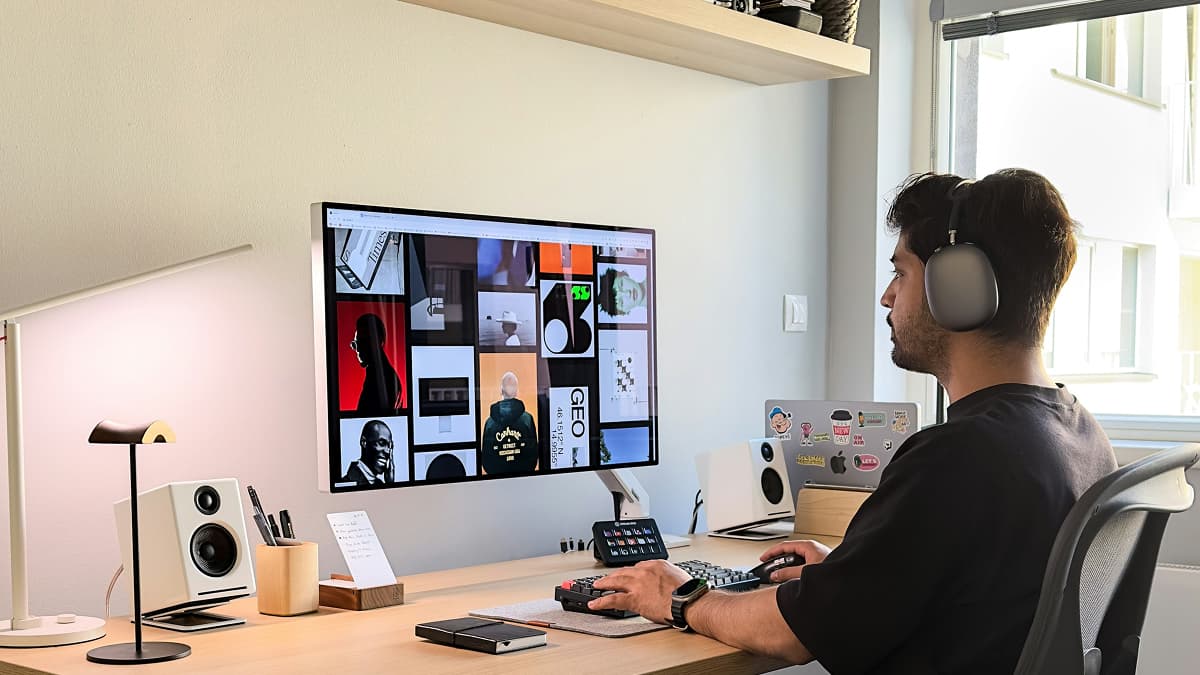
If you have ever turned up to a shoot only to realise the model had a completely different vision in mind, you already know why moodboards matter. Learning how to create a moodboard for a photo shoot is one of the most practical skills a photographer can develop — it saves time, reduces miscommunication, and gives everyone involved a shared reference point before a single frame is captured.
A good moodboard does not need to be a work of art in itself. It just needs to communicate your creative direction clearly enough that your model, stylist, or makeup artist can look at it and say, "I get it."
In this guide, we will cover exactly what goes into a photography moodboard, how many images to include, and how to share it effectively with your team.
What a Photography Moodboard Should Include
A moodboard is more than a collection of pretty pictures. Each element should serve a purpose and communicate a specific aspect of your creative direction. Here is what to include:
Lighting and Mood References
These are the backbone of your moodboard. Choose 3-5 images that show the lighting style, contrast, and overall atmosphere you are going for. Are you aiming for soft, diffused window light? Hard, dramatic shadows? Golden hour warmth? Show it visually rather than trying to describe it in words.
Colour Palette
Include a colour palette — either as a dedicated swatch strip or through images that naturally feature the colours you want. This helps your model and stylist coordinate wardrobe choices and helps you plan your post-processing approach. If you are planning a muted, desaturated edit, your moodboard should reflect that from the start.
Posing and Composition
Add 2-3 reference images that show the types of poses, framing, or compositions you have in mind. This is especially useful when working with models who are less experienced — it gives them something concrete to work from rather than vague verbal direction on set.
Wardrobe and Styling
Include styling references even if you are not directing wardrobe yourself. Showing the model what types of clothing, accessories, hair, and makeup fit your vision prevents surprises on shoot day. A model who turns up in a structured blazer when you had flowy fabrics in mind is a problem that a moodboard solves in advance.
Location or Setting
If you have already scouted a location, include photos of the actual space. If you are still deciding, add reference images that capture the type of environment you want — industrial textures, lush greenery, minimalist interiors, urban streets. This helps everyone visualise the final result.
Your moodboard should answer one question for every collaborator: "What does this shoot look and feel like?" If someone can glance at your board and understand the vibe within 10 seconds, you have done your job.
How Many Images Should a Moodboard Have?
This is one of the most common questions photographers ask, and the answer is more specific than you might expect.
The sweet spot is 8-12 images.
Fewer than 8, and you probably have not covered enough ground to communicate your vision fully. More than 15, and the moodboard starts to lose focus — too many references can actually create confusion rather than clarity.
Here is a rough breakdown of how to distribute your images:
- 3-5 images for lighting, mood, and overall aesthetic
- 2-3 images for posing and composition references
- 1-2 images for wardrobe and styling direction
- 1-2 images for location or setting inspiration
- 1 colour palette swatch or reference
The goal is curation, not collection. Every image on your moodboard should earn its place. If you find yourself adding an image and thinking "this is sort of what I mean," leave it out. That uncertainty will translate to confusion for your collaborators.
Step-by-Step: Building Your Moodboard
Now that you know what to include, here is the practical workflow for putting it all together.
Step 1: Gather Inspiration Broadly
Start by collecting far more images than you will actually use. Browse photography portfolios, magazines, Pinterest, Instagram saved folders, and your own archive. Do not filter yet — just save anything that resonates with the feeling you are going for.
Aim to gather 30-50 images in this initial sweep. You will cut this down significantly, but starting wide ensures you do not miss important references.
Step 2: Define Your Core Aesthetic
Look at your collected images and identify the common threads. What colours keep appearing? What lighting styles are you drawn to? What mood connects the images you have chosen?
Write down 3-5 keywords that define your shoot's aesthetic. These might be things like "warm, intimate, golden, textured, relaxed" or "cold, editorial, high-contrast, minimalist, sharp." These keywords become your filter for the next step.
Step 3: Curate Down to 8-12 Images
This is where discipline matters. Go through your collection and remove anything that does not align with your keywords. If an image is beautiful but pulls in a different direction from the rest of the board, it has to go.
Group your remaining images by category — lighting, posing, styling, location — and make sure each category is represented. If you have seven lighting references and no posing references, rebalance.
Step 4: Add Context and Notes
A moodboard with annotations is far more useful than one without. Add brief notes to key images explaining what specifically you are referencing. For example:
- "Love the side lighting here — want to recreate this with a single softbox"
- "This colour palette for wardrobe — earth tones, no bright colours"
- "Framing like this for the close-up series"
These notes prevent misinterpretation. Your model might look at a reference image and focus on the hair styling when you actually included it for the background texture.
Step 5: Organise the Layout
Arrange your images intentionally. Place the most important mood and lighting references at the top or centre where they will be seen first. Group related images together. If you have a colour palette, place it where it ties the board together visually.
The layout itself communicates hierarchy. What your collaborators see first shapes their understanding of the entire board.
Consider adding a short written brief at the top of your moodboard — 2-3 sentences describing the concept, the mood, and any practical details (indoor/outdoor, time of day, number of looks). This anchors the visual references in context.
Step 6: Share and Discuss Before the Shoot
A moodboard that sits in your camera bag until shoot day is a wasted moodboard. Share it with your model and team at least a few days before the shoot so they have time to prepare, ask questions, and raise any concerns.
This is where the collaboration happens. Your model might suggest poses that fit the mood better, or your stylist might flag that a particular fabric does not work with the colour palette. These conversations are far easier when everyone is looking at the same visual reference.
Where to Build and Share Your Moodboard
Choosing the right tool depends on how you work and who you are collaborating with. Here is a comparison of the most common options:
| Tool | Best For | Collaboration | Drawbacks |
|---|---|---|---|
| Broad inspiration gathering | Shared boards, but cluttered | Not designed for professional shoots; distracting interface | |
| Canva | Polished, printable boards | Limited real-time collaboration | Manual export and sharing; no shoot-specific features |
| Google Slides | Quick layouts with notes | Easy sharing via link | Generic; no photography-specific workflow |
| Milanote | Visual creatives who want flexibility | Good collaboration features | Free tier is limited; yet another tool to manage |
| Cullengo | Photographers planning shoots with models | Built-in moodboard within your shoot planning workflow | Purpose-built for photo shoots |
The most common mistake photographers make is building a moodboard in one tool and then communicating about the shoot in another — emails, WhatsApp messages, and shared drives all competing for attention. Ideally, your moodboard lives alongside your shoot plan, your shot list, and your shared photos so everything is in one place.
With Cullengo, your moodboard is part of the shoot itself. You can add reference images and colour palette cards directly to a shared moodboard tab, and your model sees it alongside the agenda, dates, and documents for the shoot. No extra links to share, no files to download.
A moodboard the model can add to
Build the board inside the shoot, with colour cards and comments per reference — and it is still there afterwards, next to the photos it produced.
Moodboard Mistakes to Avoid
Even experienced photographers make these errors. Watch out for:
Including too many conflicting styles. If your moodboard has moody low-key portraits next to bright high-key fashion shots, your team will not know which direction you actually want. Pick a lane and commit.
Using only your own work. Your moodboard should push you beyond what you have already done. Including references from other photographers helps communicate techniques or aesthetics you want to explore, not just replicate your existing portfolio.
Forgetting about practical constraints. A moodboard full of studio setups when you are shooting in a park, or elaborate styling references when you have no stylist on set, creates unrealistic expectations. Keep your references grounded in what is actually achievable on the day.
Not sharing it early enough. Dropping a moodboard on your model the morning of the shoot gives them no time to prepare. Share it at least 3-5 days before so wardrobe, hair, and makeup can be planned around your vision.
Treating it as final and inflexible. A moodboard is a starting point, not a shot-for-shot blueprint. Leave room for spontaneity and happy accidents on set. The best shoots happen when the moodboard sets the direction but does not constrain the moment.
A moodboard is a communication tool, not a contract. Use it to get everyone on the same page before the shoot, then be willing to adapt when reality offers something better than your plan.
Bringing It All Together
Knowing how to create a moodboard for a photo shoot is really about knowing how to communicate visually. The photographers who get consistent results are not necessarily the ones with the best gear or the most experience — they are the ones who take the time to align their team before anyone picks up a camera.
Start with broad inspiration, curate ruthlessly, add context through notes, and share early. Whether you are planning a simple portrait session or a multi-look editorial, a well-built moodboard turns a vague idea into a shared vision.
If you are looking for a place to build moodboards alongside your shoot planning, shot coordination, and photo delivery, take a look at what Cullengo offers for photographers and models working together.
Once your moodboard is ready, the next step is locking down the logistics. Our photo shoot planning checklist walks you through everything from location scouting to gear prep. And if you want to understand how the moodboard fits into the bigger picture, read our guide on the photographer-model workflow from vision to delivery.
FAQ
Q: Can I use AI-generated images in my moodboard? A: Yes, AI-generated images can be useful for communicating concepts that are difficult to find in existing photography — unusual colour combinations, specific lighting setups, or abstract mood references. However, rely primarily on real photographs so your team has realistic expectations of what is achievable. Use AI images as supplements, not as the foundation of your board.
Q: Should I share my moodboard with the client or just my team? A: If you are shooting for a client, absolutely share it. A moodboard is one of the best ways to confirm that your creative direction matches the client's expectations before you invest time and resources in the shoot. It also protects you professionally — if the client approved the moodboard, there is a clear reference point if they later question the creative choices.
Q: How often should I update my moodboard during the planning process? A: Treat your moodboard as a living document until 2-3 days before the shoot. As you scout locations, confirm wardrobe, and refine your concept, update the board to reflect the current plan. Once you have shared the final version with your team, avoid making major changes — last-minute shifts in creative direction cause more confusion than they solve. Small tweaks are fine, but the core aesthetic should be locked in well before shoot day.

Silvan Gasser
Writes about everything that happens before the first frame — creative briefs, moodboards, shot lists and shoot-day scheduling.