The Photographer-Model Workflow: A Complete Guide from Vision to Delivery
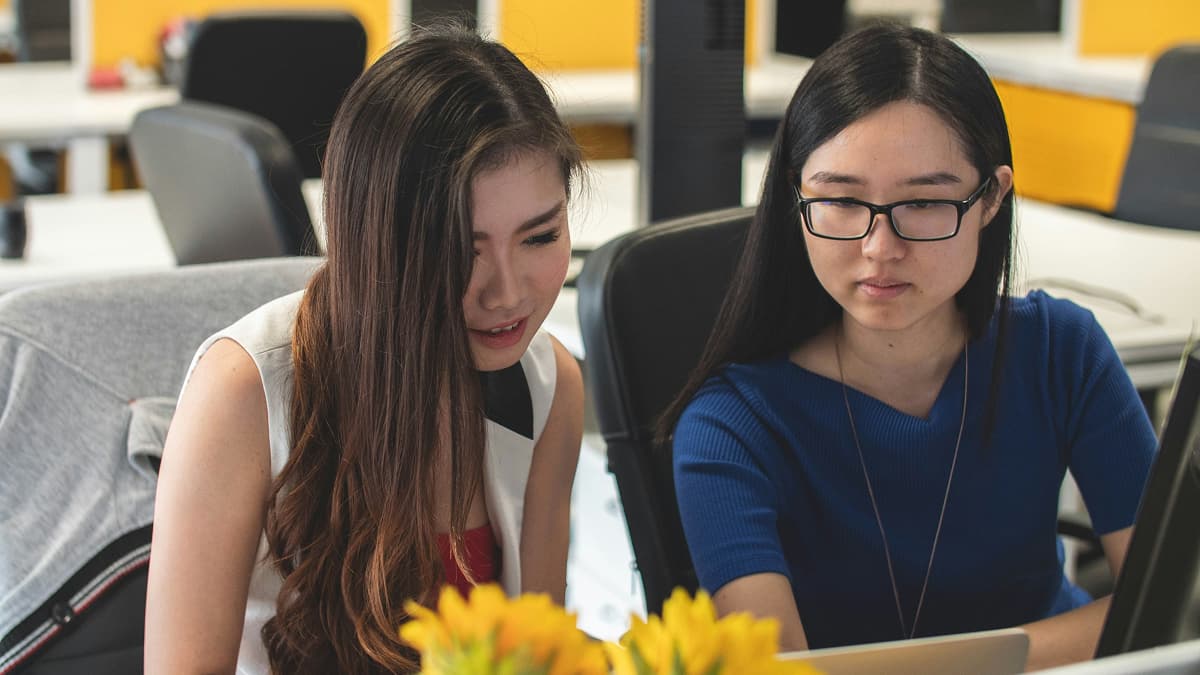
Behind every striking photograph is a collaboration between two creative professionals — a photographer and a model. Yet despite how central this partnership is to the final result, many photographers and models approach their work together without a defined workflow. The result? Miscommunication, wasted time, and images that fall short of what either party envisioned.
This guide breaks down the complete photographer-model collaboration workflow, from the first spark of creative vision through to final delivery. Whether you are a photographer looking to build stronger working relationships or a model wanting to bring more value to every shoot, understanding each phase of the process will transform the way you work together.
The truth is, a photo shoot is not a service transaction where one person directs and the other follows instructions. It is a creative partnership. When both sides contribute their expertise — the photographer's eye for light and composition, the model's understanding of movement and expression — the results are consistently stronger than what either could achieve alone.
Phase 1 — Creative Alignment (Before the Shoot)
Creative alignment is the foundation of every successful photographer-model collaboration workflow. Before anyone picks up a camera or steps in front of one, both parties need to share a clear understanding of what they are creating and why.
Start with the "Why"
Every shoot should begin with a conversation about purpose. Is this for a portfolio update? An editorial submission? A commercial campaign? A personal project exploring a specific theme? The answer shapes every decision that follows, from styling to location to the mood of the images.
This conversation should happen early — ideally before anyone starts pulling reference images. When both the photographer and model understand the goal, they can contribute ideas that serve the vision rather than pulling it in conflicting directions.
Build a Shared Moodboard
A moodboard is not just a Pinterest board of images you like. It is a communication tool that translates abstract ideas — "moody," "ethereal," "editorial" — into concrete visual references that both parties can agree on.
An effective moodboard for a photographer-model collaboration should include:
- Reference images showing the desired mood, lighting, and composition
- Colour palettes that define the tonal direction of the shoot
- Posing references so the model can prepare movement and expression ideas
- Styling direction covering wardrobe, hair, and makeup
- Location or set design inspiration
The key word here is "shared." A moodboard created by the photographer alone and sent to the model as a directive is a missed opportunity. When both parties contribute references and discuss what resonates, the creative direction becomes richer and more considered.
For a deeper guide on building moodboards, see our article on how to create a moodboard for a photo shoot.
Models often have a strong instinct for what works with their features, body type, and movement style. Inviting their input during the moodboard phase leads to more authentic and dynamic images on shoot day.
Agree on Usage and Expectations
Before the shoot, have an honest conversation about how the images will be used. This includes:
- Portfolio use — can both parties use all images in their portfolios?
- Social media — any restrictions on posting, tagging, or crediting?
- Commercial licensing — are the images for commercial sale or editorial submission?
- Exclusivity — does either party need exclusive rights for a period?
- Timeline — when can the model expect to receive final images?
Putting these agreements in writing — even a simple email summary — prevents misunderstandings later. This is especially important for paid shoots where licensing terms affect the value of the work.
Phase 2 — Planning & Logistics
With creative alignment in place, the next phase is turning that vision into a concrete plan. Good planning respects everyone's time and ensures the shoot day runs smoothly.
Location Scouting
Whether you are shooting in a studio, outdoors, or in an interior space, visit the location beforehand if possible. Consider:
- Light quality and direction at the planned shoot time
- Background options and potential distractions
- Space for movement — models need room to work, especially for full-length shots
- Privacy — will bystanders or foot traffic be an issue?
- Facilities — is there a private area for wardrobe changes?
Share location photos or a pin with the model so they know what to expect and can plan their arrival.
Create a Shot List and Timeline
A shot list keeps the shoot focused and ensures you capture everything you need. Structure it by setup or look, and estimate timing for each:
- Look 1 — Location A, natural light, wardrobe option 1 (30 minutes)
- Look 2 — Location A, styled setup, wardrobe option 2 (30 minutes)
- Look 3 — Location B, golden hour, wardrobe option 3 (45 minutes)
Build in buffer time between setups for wardrobe changes, equipment adjustments, and breaks. A common mistake is over-scheduling — trying to fit too many looks into too little time leads to rushed work and frustrated collaborators.
For a comprehensive planning resource, check out our photo shoot planning checklist.
Communicate Logistics Clearly
Send a brief to the model at least a few days before the shoot that covers:
- Date, time, and duration of the shoot
- Exact location with address and any access instructions
- What to bring — specific wardrobe, accessories, or props
- What will be provided — styling, hair and makeup, props
- Contact information for the day of the shoot
- Cancellation or reschedule policy
Professional models and photographers confirm details 24-48 hours before the shoot. A quick message saying "We are all set for tomorrow at 10am, see you at [location]" goes a long way toward building trust and reliability.
Phase 3 — The Shoot Itself
The shoot day is where preparation meets execution. How you work together on set determines not just the quality of the images but whether both parties enjoy the experience and want to collaborate again.
Set the Tone Early
The first few minutes of a shoot set the tone for everything that follows. Greet each other warmly, walk through the plan for the day, and discuss any adjustments based on the conditions you find on location.
If you have not worked together before, take time to build rapport. Show the model the moodboard references on your phone. Discuss the first setup and ask if they have any questions or ideas. This is not wasted time — it is an investment in the quality of the work.
Communicate During the Shoot
Great on-set communication is specific, encouraging, and two-directional.
For photographers:
- Give clear, actionable direction: "Turn your chin slightly to the left" is better than "Move your face"
- Share the back of the camera periodically — showing the model what is working builds confidence and helps them adjust
- Be honest but respectful if something is not working: "Let us try a different angle" rather than simply expressing frustration
For models:
- Ask questions if the direction is unclear — guessing wastes time
- Suggest poses or expressions you know work well for you
- Communicate if you are uncomfortable, cold, or need a break — your wellbeing directly affects the quality of your expressions
Manage Energy and Pacing
Shoots are physically and mentally demanding for both parties. Build in natural pauses between setups. Offer water. Keep the atmosphere positive but focused.
Watch for signs of fatigue — a model whose expressions are becoming flat may need a five-minute break rather than more direction. A photographer who is taking fewer frames may be losing their creative momentum and need to revisit the moodboard for fresh inspiration.
Capture Variety
Within each setup, capture a range of compositions and expressions:
- Wide, medium, and tight shots of each pose
- Movement and stillness — some of the best images come from transitions between poses
- Candid moments — reactions, laughter, adjustments between setups
- Detail shots — hands, texture, accessories, environment
This variety gives both parties more options during the review phase and makes the final selection richer.
Phase 4 — Review & Selection
This is the phase where most photographer-model collaboration workflows break down. The shoot is done, the images are on the card, and now what? Too often, the photographer disappears into their editing cave for weeks or months, the model hears nothing, and the relationship — along with the momentum of the project — fades.
The review and selection phase is where the collaborative nature of the work matters most. Both the photographer and the model have a stake in which images are selected, how they are edited, and how they are presented.
The Culling Process
After the shoot, the photographer typically performs an initial cull — removing technically flawed images (out of focus, poor exposure, closed eyes) and duplicates. This is standard practice and does not usually require the model's involvement.
What happens next is where the workflow needs structure. The photographer should select a set of "selects" — the strongest images from each setup — and share these with the model for review.
Why Collaborative Selection Matters
The photographer sees the images through the lens of composition, light, and technical quality. The model sees them through the lens of their own expression, posture, and how they feel about their appearance. Both perspectives are valid and important.
A photograph might be technically excellent but show the model in a way they find unflattering. Conversely, a model might love an image the photographer considers a weaker composition. Having both viewpoints in the selection process leads to a final set that both parties are proud of and want to share.
The review and selection phase is where traditional workflows — email chains, WeTransfer links, text messages — create the most friction. A shared workspace where both photographer and model can view, favourite, comment on, and select images transforms this from a bottleneck into a genuinely collaborative experience.
How to Share Photos for Review
The method you use to share photos with the model for review matters more than you might think. Common approaches include:
- Cloud storage links (Google Drive, Dropbox) — functional but offer no collaboration features
- Email attachments — limited by file size and difficult to organise
- Social media DMs — compresses images and lacks professional structure
- Dedicated collaboration platforms — purpose-built for this exact workflow
The ideal solution lets the model browse images at full quality, mark their favourites, leave comments on specific photos, and communicate preferences without needing to download hundreds of files or send endless text messages.
For practical strategies on sharing images effectively, read our guide on how to share photos with a model after a shoot.
Structuring the Selection
A clear selection process avoids confusion:
- Photographer shares selects — the curated set of strongest images from each setup
- Model reviews and marks favourites — indicating which images they prefer
- Discussion — any disagreements or different perspectives are resolved through conversation
- Final selection agreed — both parties sign off on the images that will be edited
- Editing begins — the photographer edits only the agreed selection
This structured approach saves time (no editing images that will never be used), respects the model's input, and ensures the final delivered set meets both parties' expectations.
Phase 5 — Editing & Delivery
The final phase of the photographer-model collaboration workflow covers post-production and getting the finished images into everyone's hands.
Editing Communication
Before editing begins, discuss expectations:
- Editing style — does the model have preferences on colour grading, retouching level, or skin editing?
- Retouching boundaries — many models have specific boundaries around body modification in post-production. Respect these without question.
- Consistency — all images in the set should share a consistent editing style
If you created a moodboard with colour and tone references, revisit it during editing to ensure the final images align with the original vision.
Retouching Ethics
This deserves its own mention. Retouching is a sensitive subject, and the photographer-model relationship requires trust and respect here. Standard retouching — skin cleanup, colour correction, exposure adjustment — is generally expected. But altering body shape, dramatically changing skin texture, or making the model look like a different person crosses a line that many models are understandably uncomfortable with.
The simple rule: ask before you alter. And if in doubt, err on the side of less retouching.
Delivery Format and Method
Deliver final images in formats that serve the intended use:
- High-resolution files (TIFF or full-res JPEG) for print and portfolio use
- Web-optimised files (compressed JPEG or WebP) for social media and online portfolios
- Both formats if the images will be used across multiple contexts
For delivery, use a method that is organised and accessible:
- Name files clearly (shoot name, date, sequence number)
- Organise into folders by look or setup if delivering a large set
- Include a simple usage agreement or recap of the terms discussed in Phase 1
For photographers who regularly deliver images to models and clients, our guide on getting photo feedback from clients covers strategies that apply equally to model collaborations.
Delivery Timeline
Set and meet a clear timeline. Two to four weeks for delivery of edited images is a reasonable standard for most shoots. If circumstances require a longer timeline, communicate this proactively — do not simply go silent.
Late delivery — or no delivery at all — is one of the most common complaints models have about working with photographers. Meeting your stated timeline builds trust and a professional reputation.
Common Workflow Mistakes
-
Skipping the creative alignment phase. Jumping straight to booking a date without discussing the creative vision leads to shoots where the photographer and model are working toward different goals. Spend time on the moodboard and concept discussion — it saves far more time than it costs.
-
Treating the model as a prop rather than a collaborator. Models bring creative expertise to a shoot. Ignoring their input on posing, expression, and styling means you are only using half the creative talent available. The best images come from genuine collaboration.
-
Over-scheduling the shoot day. Trying to squeeze six looks into a two-hour window guarantees rushed, mediocre results. Plan fewer setups with more time for each, and your images will be stronger.
-
Disappearing after the shoot. The work is not done when the camera goes back in the bag. Prompt communication about timeline, sharing selects for review, and delivering on schedule are all part of the professional workflow. Ghosting after a shoot damages your reputation and the relationship.
-
Editing in isolation without input. Selecting and editing images without any model input means the final set might not represent how the model wants to be seen. Include them in the selection process, discuss retouching preferences, and deliver images you are both proud of.
Tools for Each Phase
| Phase | Traditional Approach | Collaborative Approach |
|---|---|---|
| Creative Alignment | Pinterest boards, text messages | Shared moodboard with colour palettes and references |
| Planning & Logistics | Email chains, phone calls | Structured brief with shot list, timeline, and logistics |
| The Shoot | One-directional posing commands | Two-way communication with reference sharing on set |
| Review & Selection | WeTransfer link + text message feedback | Shared gallery with commenting, favouriting, and selection tools |
| Editing & Delivery | Dropbox folder with no context | Organised delivery with usage terms and multiple formats |
Platforms like Cullengo are designed specifically for the review, selection, and delivery phases — giving photographers and models a shared workspace to collaborate on image selection, leave comments on individual photos, and manage the entire post-shoot workflow in one place.
One shoot, both sides, start to finish
Moodboard, agreement, two-sided selection and delivery in a single place, with the model as a participant rather than a recipient.
TFP vs. Paid Shoots — Does the Workflow Change?
TFP (Time for Print, or Trade for Portfolio) shoots are collaborations where no money changes hands — both parties contribute their time and skills, and both receive images for their portfolios. Paid shoots involve a client paying for the photographer's services, the model's time, or both.
The short answer: the workflow should not change significantly. The phases — creative alignment, planning, shooting, review, and delivery — apply equally to both arrangements.
However, there are a few practical differences worth noting:
Creative control. In TFP shoots, creative direction is typically more collaborative since both parties have equal stake in the outcome. In paid shoots, the paying client usually has final say on creative direction, though smart clients still value and incorporate input from their collaborators.
Selection process. In TFP shoots, both photographer and model should have input on which images are selected and edited. In paid commercial shoots, the client typically makes the final selection, though the model may have contractual rights to approve images used publicly.
Delivery expectations. TFP shoots should have the same delivery standards as paid work — prompt, professional, and complete. The fact that no money changed hands does not excuse late delivery or poor communication. Your reputation is built on every collaboration, paid or not.
Usage rights. TFP arrangements should clearly define usage rights for both parties. Typically, both the photographer and model can use the images for portfolio and social media, but commercial licensing requires separate agreement.
Regardless of whether money is involved, treating the collaboration with professionalism and respect is what builds lasting creative relationships. Models remember photographers who communicate well, deliver on time, and respect their input — and they recommend those photographers to others.
FAQ
Q: How many photos should a photographer share with a model for review?
A: Share a curated set of selects rather than every image from the shoot. A good rule of thumb is 30-50 selects from a typical 2-3 hour shoot, organised by setup or look. This gives the model enough variety to express preferences without overwhelming them with hundreds of near-identical frames. The photographer should remove technically flawed images before sharing.
Q: What is the best way to handle disagreements about photo selection?
A: Start by understanding each other's perspective. The photographer might favour a particular image for its composition or lighting, while the model might prefer a different frame where their expression feels more authentic. Often, both images can be included in the final edit. If you must choose, refer back to the purpose of the shoot — if it is a portfolio shoot for the model, their preference carries more weight on images featuring them prominently. A shared review platform where both parties can comment on specific images makes these conversations easier and more productive.
Q: How long should a photographer take to deliver final edited images?
A: Two to four weeks is the standard expectation for most portrait and editorial shoots. Communicate your timeline at the end of the shoot day, and update the model if anything changes. For commercial work with tight deadlines, the timeline should be agreed during the planning phase. Whatever timeline you set, meet it — consistent, reliable delivery is one of the strongest professional reputation builders in the industry.
Q: Should models pay for professional photos from a TFP shoot?
A: No. In a TFP (Time for Print) arrangement, the model contributes their time, skill, and likeness in exchange for final edited images. Both parties are investing in the collaboration equally. The photographer should deliver a set of fully edited images as agreed before the shoot. If a photographer is charging the model for images from what was presented as a TFP collaboration, that is a misrepresentation of the arrangement.
A well-structured photographer-model collaboration workflow is not about rigid rules or bureaucratic processes. It is about creating the conditions for great creative work by ensuring clear communication, mutual respect, and shared ownership of the outcome at every stage.
The photographers and models who build the strongest portfolios and the best professional reputations are the ones who treat every collaboration — paid or TFP, first-time or long-standing — with the same care and professionalism.
If you are looking for a platform that supports this kind of collaborative workflow — particularly in the review, selection, and delivery phases where most friction occurs — explore what Cullengo offers for photographers and models working together.
Run the next one in one place
Free to start — moodboard, agreement, selection and delivery in a single shoot.

Nele Wyss
Writes from the other side of the camera: sedcards, trade shoots, and finding people worth working with.